This guide serves as a general instruction for FPS
CITIC INTERNATIONAL BANK - FPS
STANDARD CHARTERED BANK - FPS
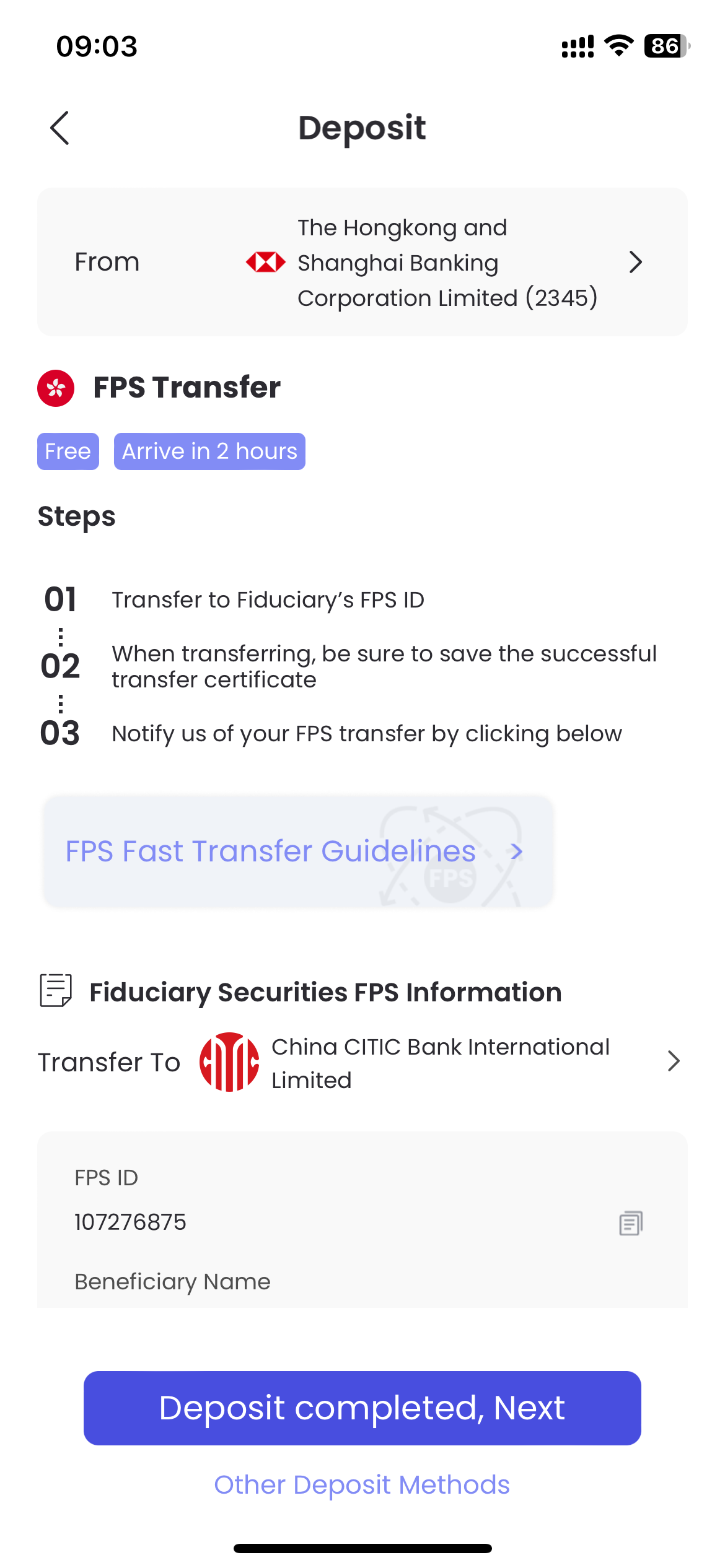
FPS ID:107276875
Beneficiary Account Holder:FIDUCIARY SECURITIES LIMITED
HKD Recipient Account Number:744148065500
Deposit funds using FPS Transfer
Step 1: Login to your bank account
Step 2: Find the transfer or FPS function
Step 3: Input Fiduciary's FPS ID 107276875 to receiver's account No. blank
Step 4: Input FIDUCIARY SECURITIES LIMITED to receiver's account name blank
Step 5: After you have finished the transfer procedure please make a screenshot of it
Step 6: Follow Tradesk FPS transfer guidelines to sbumit deposit notification
Tradesk FPS Transfer
Please go to Tradesk APP - "Portfolio" - "Deposit"
Step 1: Choose HKD deposit;

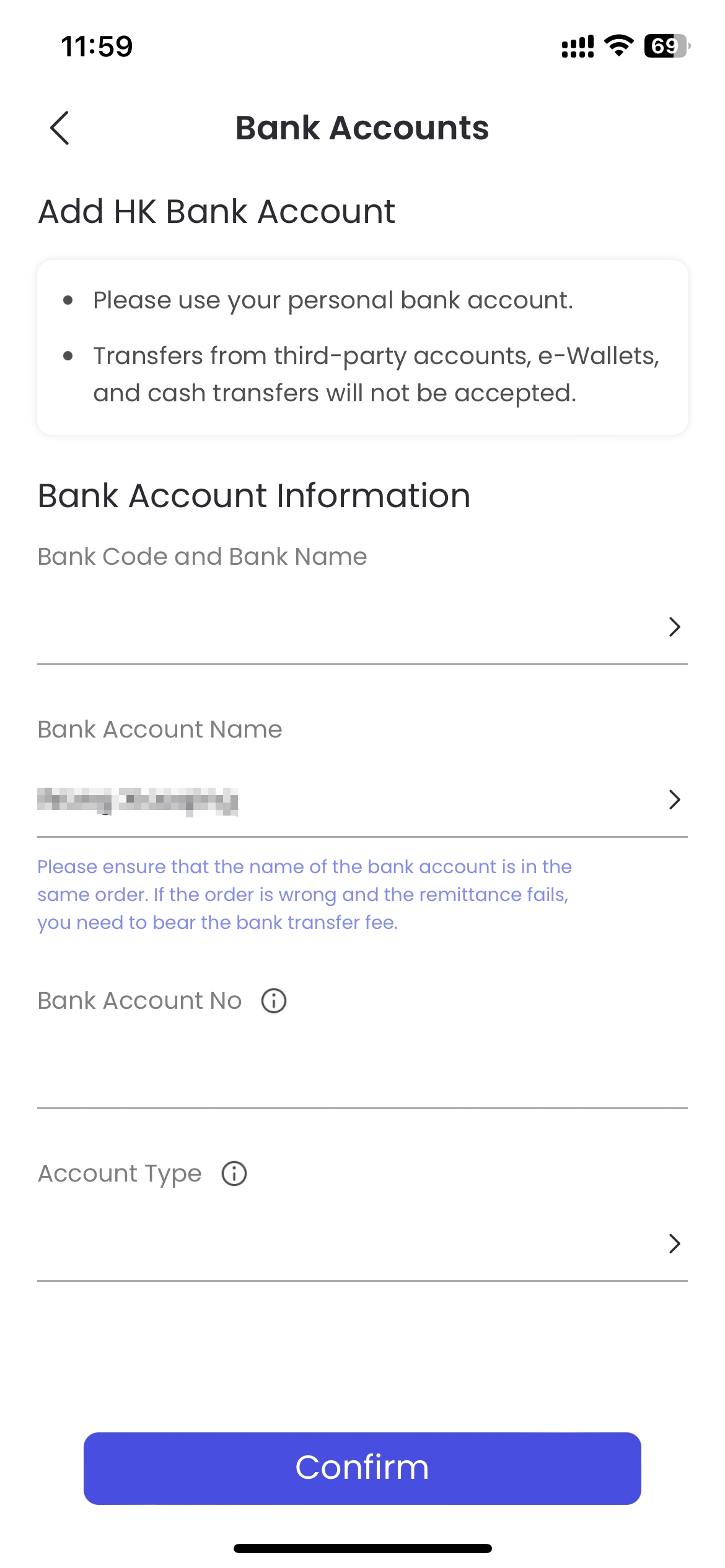
Step 2: Add HK Bank Account;
Step 3: Transfer HKD to Fiduciary's bank account via your bank APP or Website;
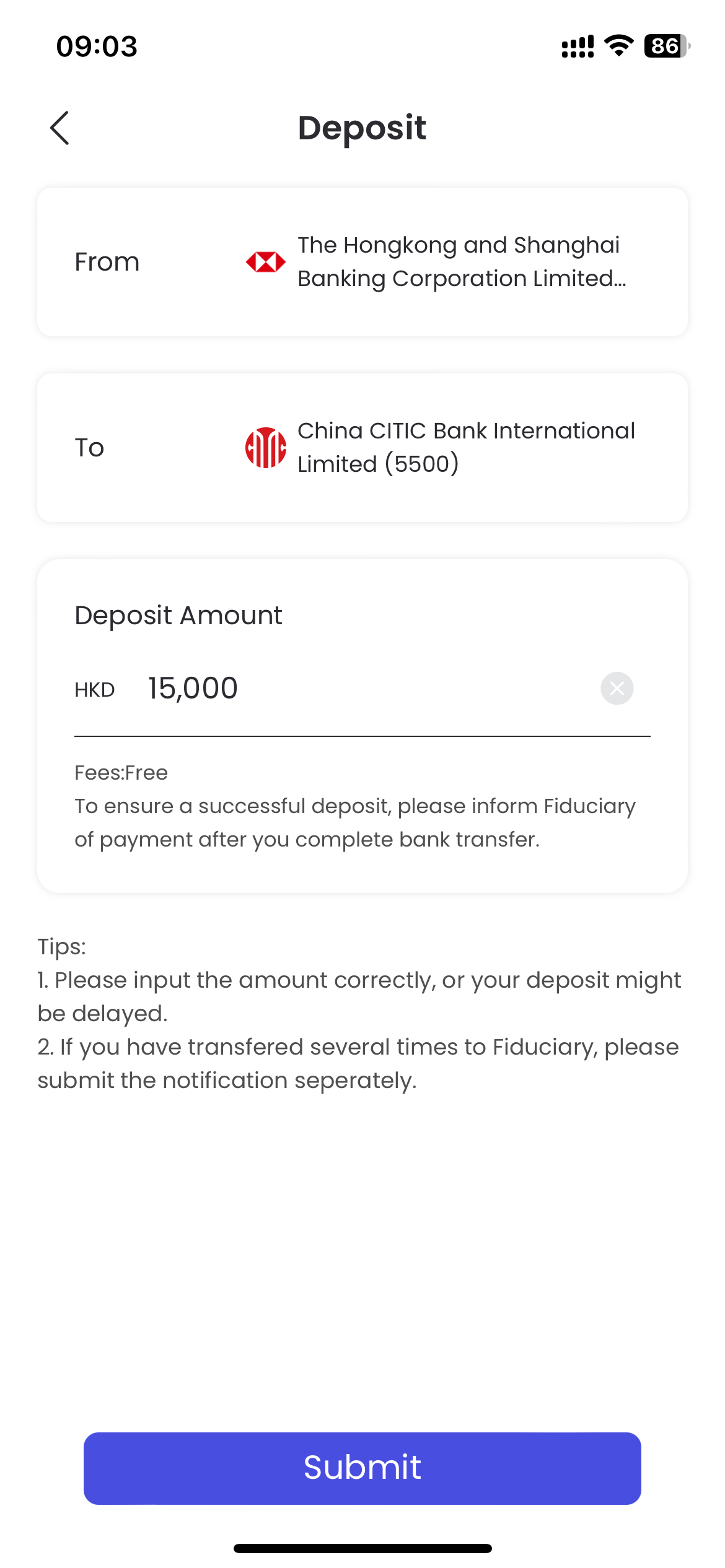
Step 4: "Deposit completed, Next" - Fill in the deposit amount;
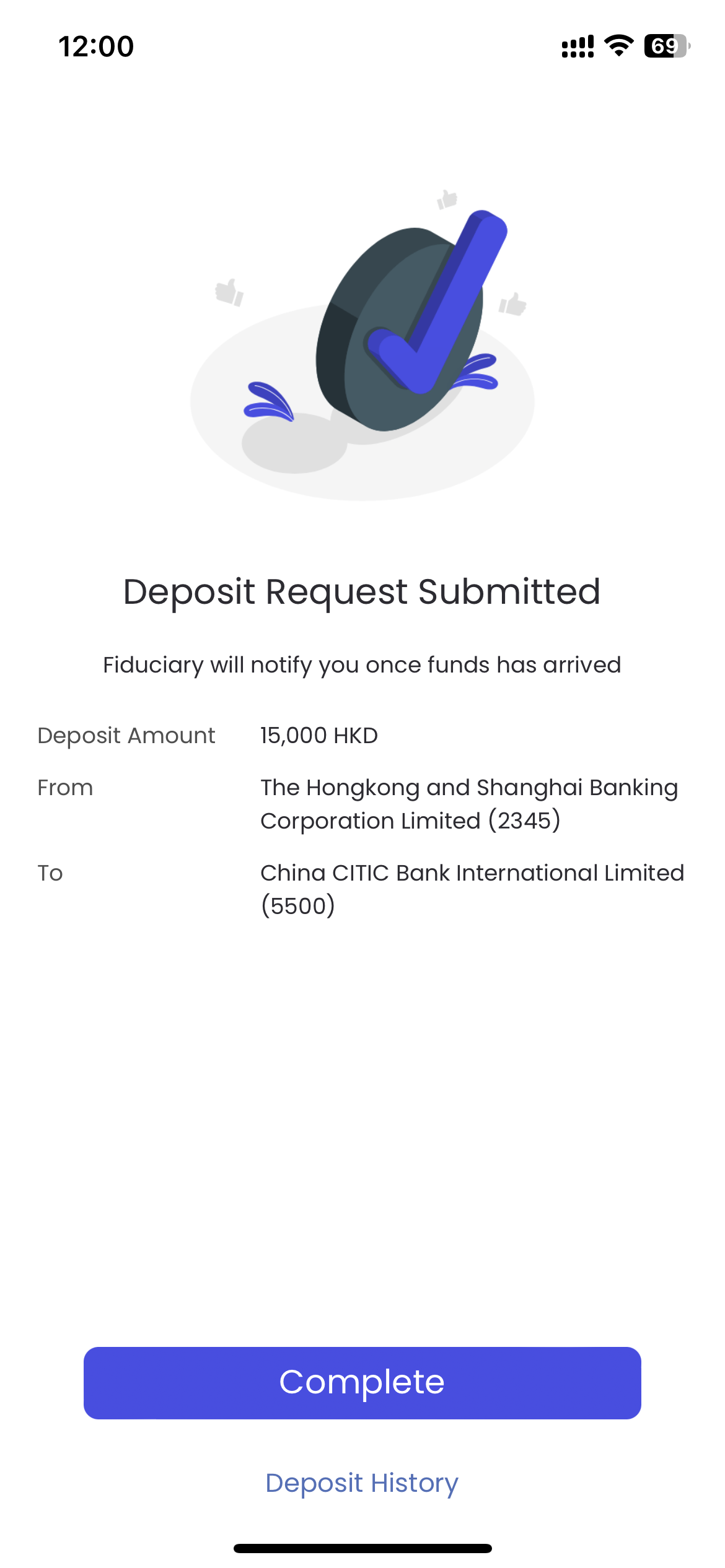
Step 5: "Sbumit" - Complete deposit notification.