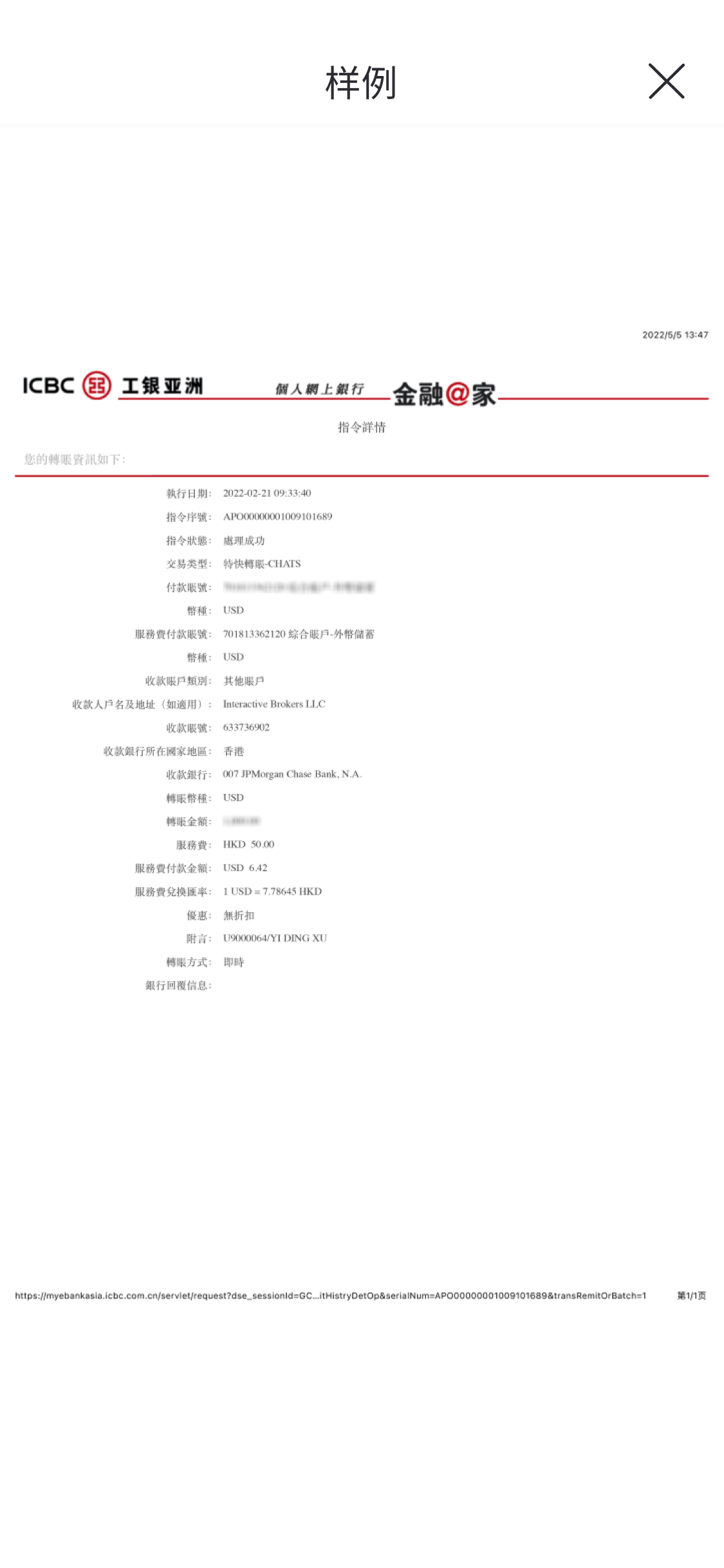
This guide serves as a general instruction for wire transfer
Wire transfer operation method
Step 1: Log into your bank account
Step 2: Deposit your funds using the bank information provided above
Step 3: Note your name and Tradesk user ID
Step 4: Ensure that all information entered is correct and accurate
Step 5: Complete the transfer and take a screenshot as voucher
Step 6: Follow "Tradesk Wire Transfer" to sbumit the transfer voucher
Tradesk Wire Transfer
Please go to Tradesk APP - "Portfolio" - "Deposit"
Step 1: Choose currency deposit;
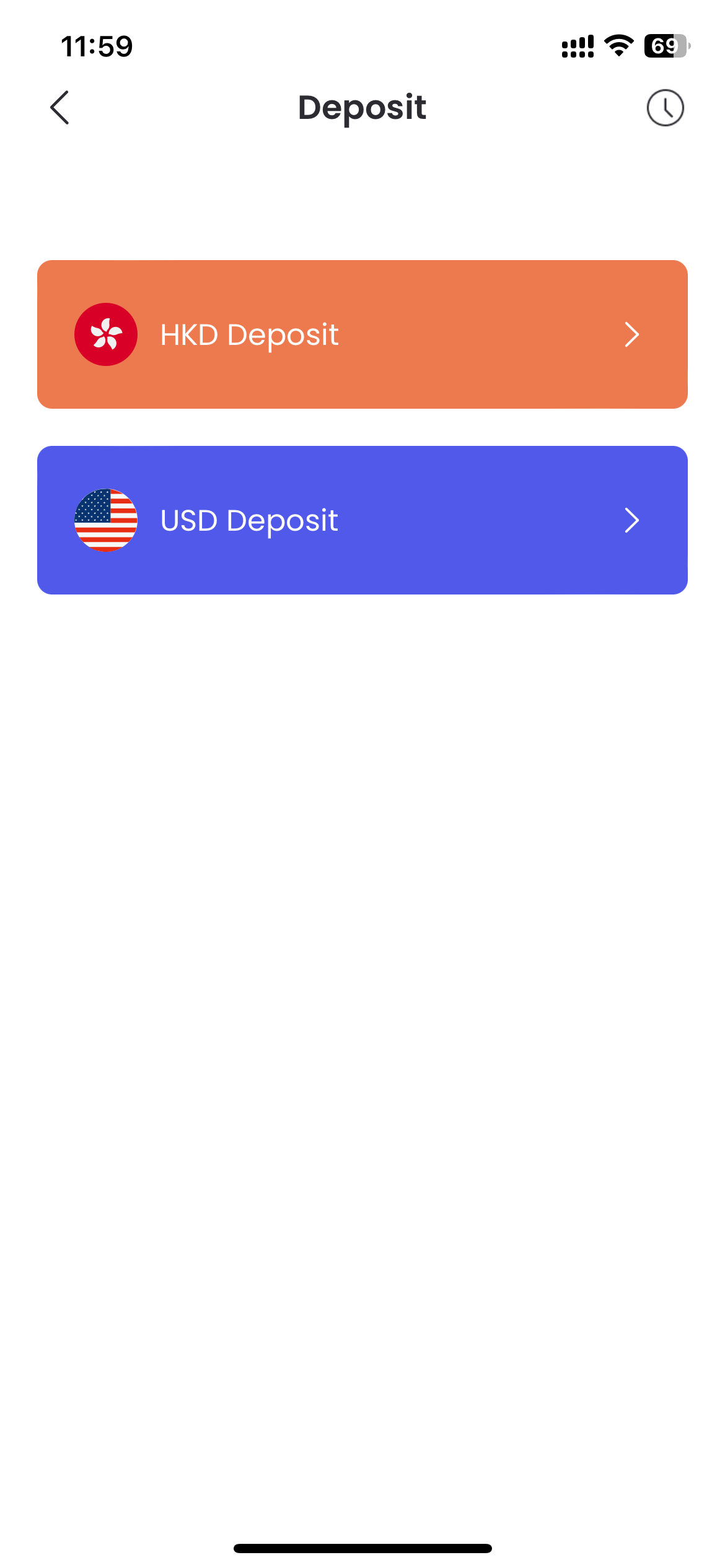
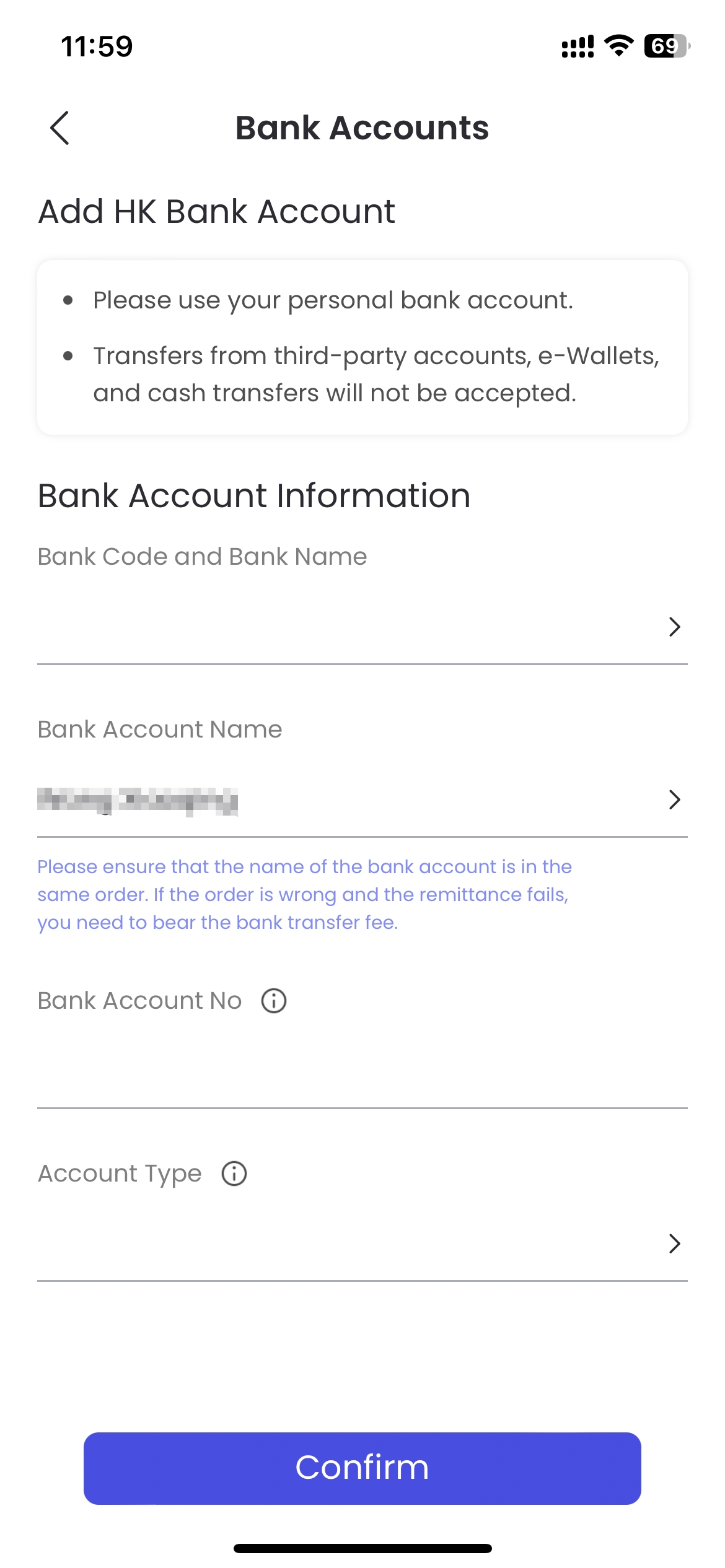
Step 2: Add Bank Account;
Step 3: Transfer HKD/USD to Fiduciary's bank account via your bank APP or Website;
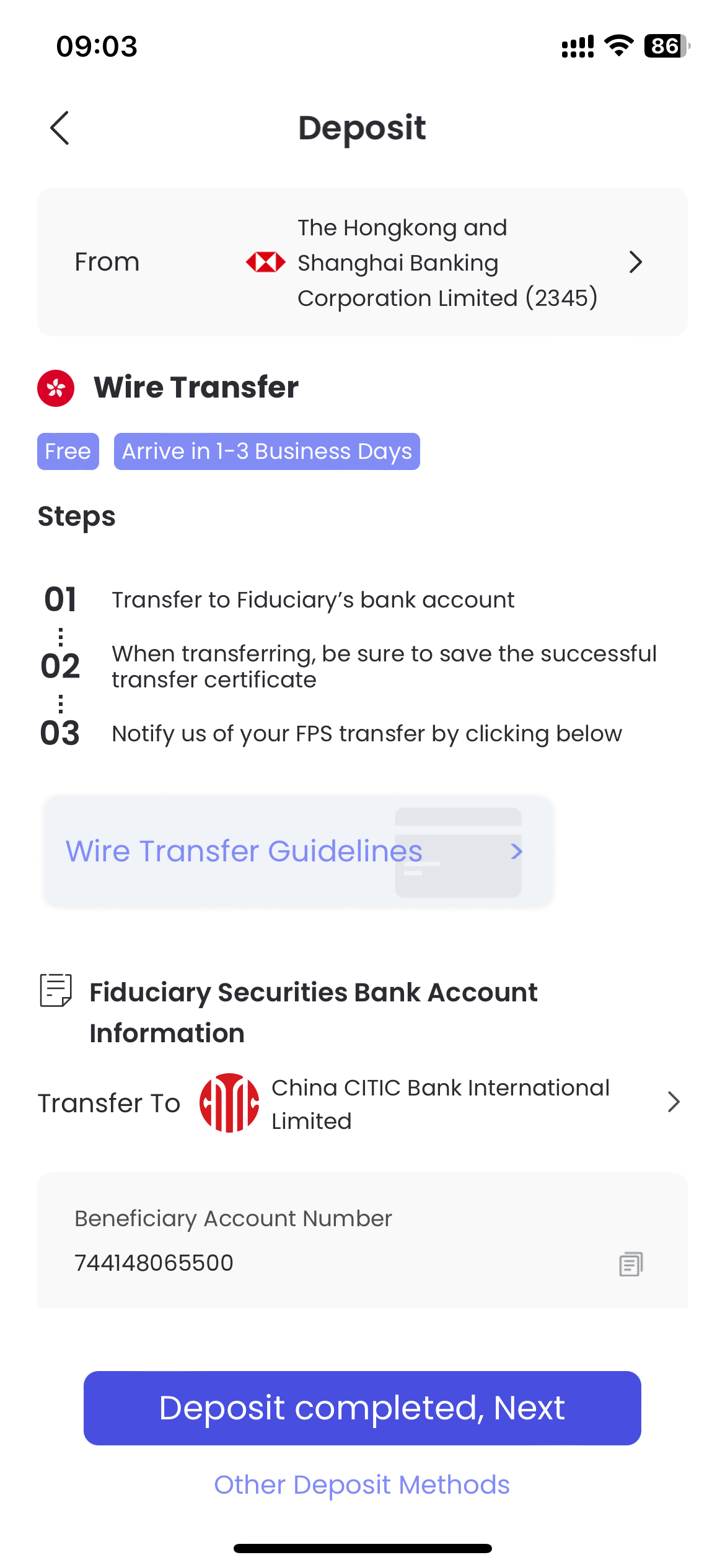
Step 4: "Deposit completed, Next" - Fill in the deposit amount and upload transfer voucher;
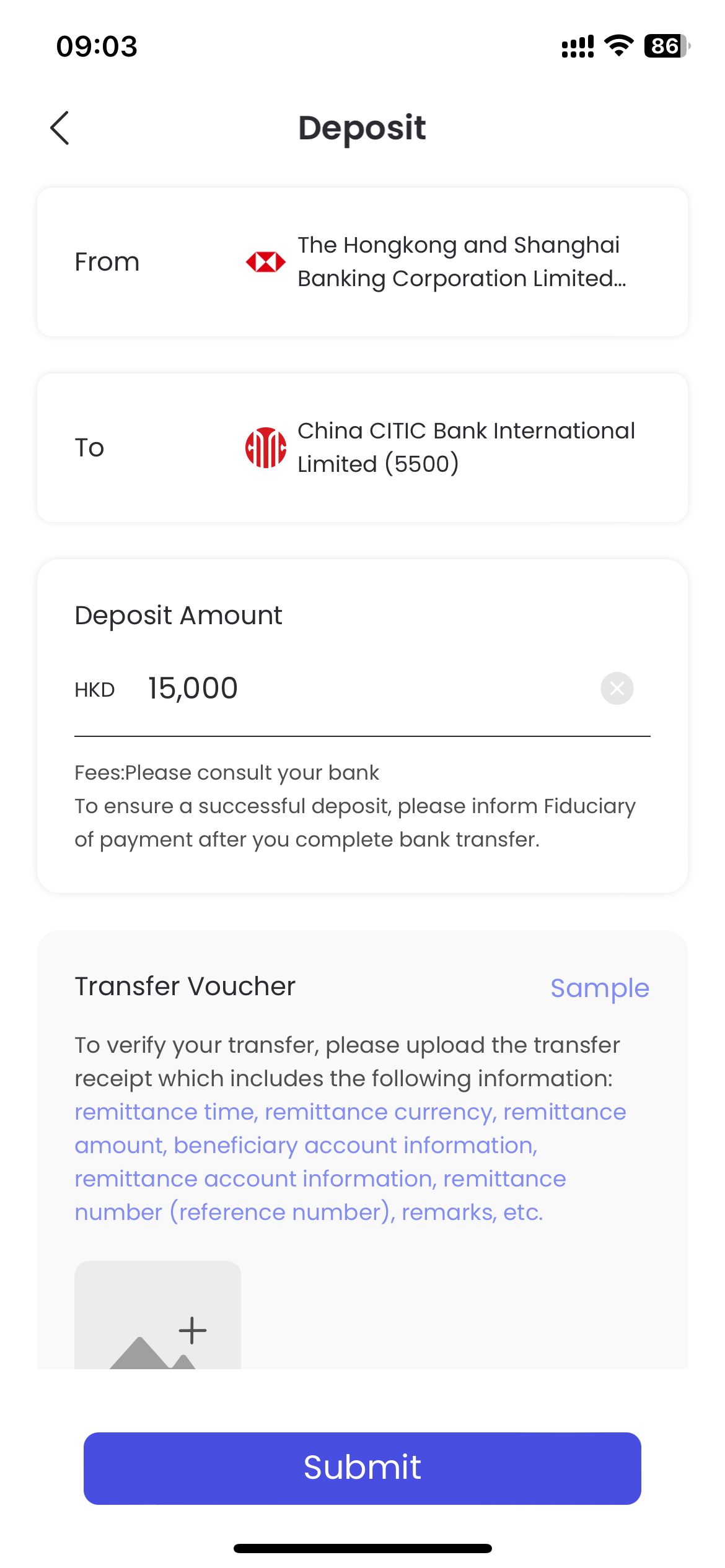
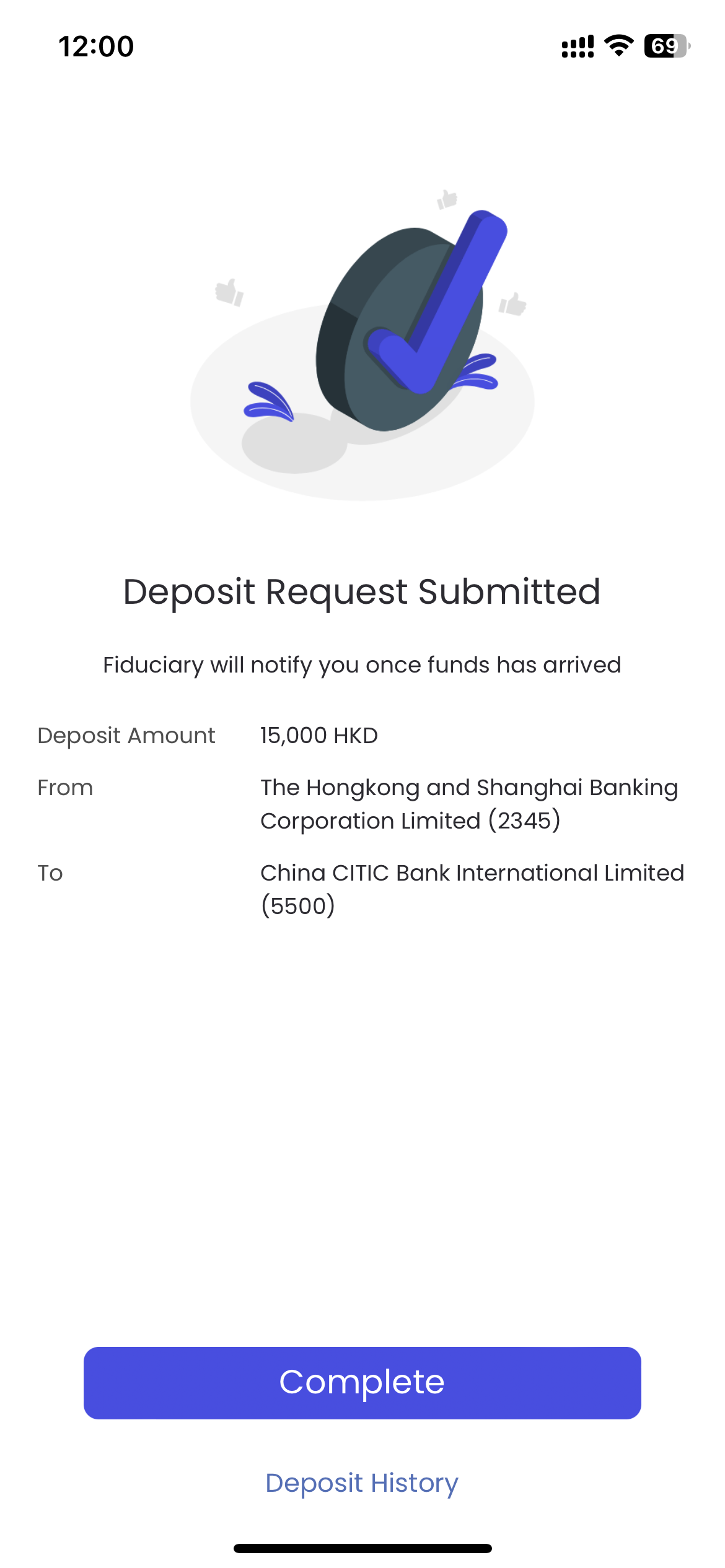
Step 5: "Sbumit" - Complete deposit notification.
What is a transfer voucher?
In order to verify yourself bank transfer, you need to upload the transfer voucher, including: remittance time, remittance currency, remittance amount, receiving account information, remittance account information, remittance number (reference number, remarks, etc.